
When you open the app
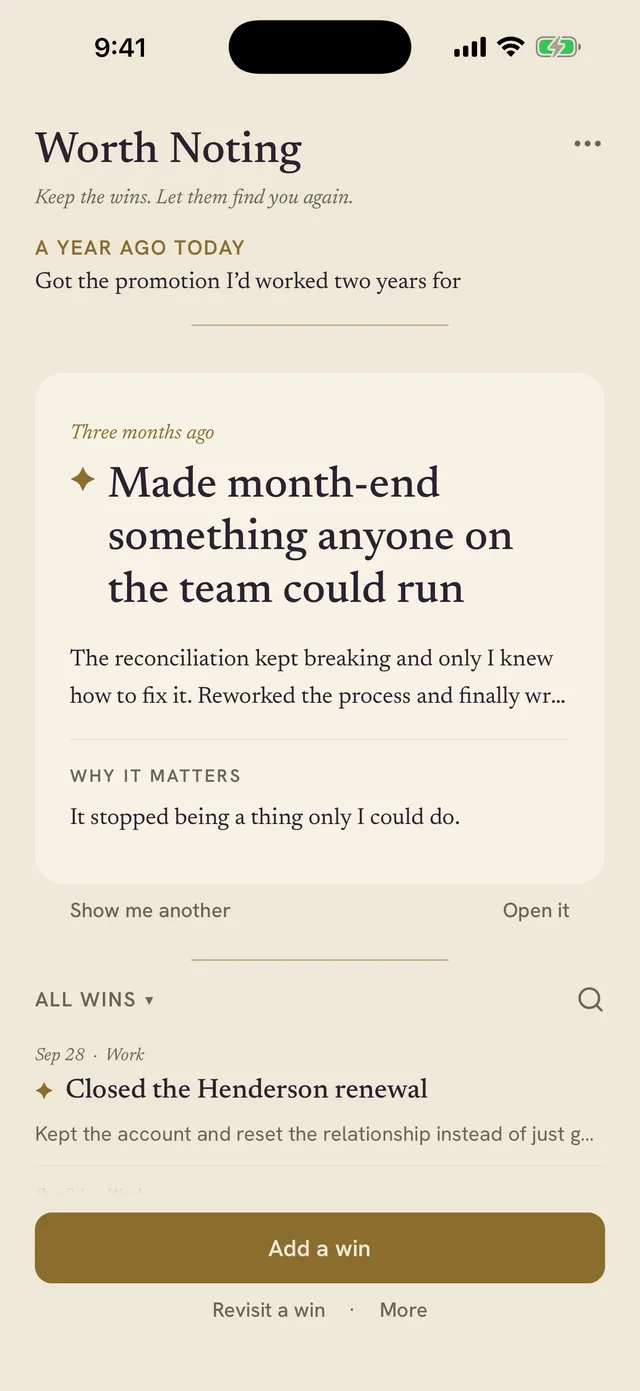
An older win is the first thing you see, chosen from what you've kept rather than whatever happened most recently.

Available on iPhone and iPad
Worth Noting is a private win journal for work and life. Write a line when something goes right. Once a week, it asks what happened, and older wins come back to you. When the review, the interview, or the next move comes, the record is there.
On your device · No sign-up · Free to start
Think of something from the past few weeks that you shipped, led, solved, finished, or were brave enough to try. Work or life, big or small.
When you open the app, three months from now
That's how it works. It comes back when you open the app, in the weekly check-in, and on the anniversary of the ones you mark to remember.
The App Store button copies this line too, so it's ready to paste as your first win when you open the app.
Copied. Paste it as your first win when you open Worth Noting.
Months later, the review form is blank. The interview question catches you off guard. Even a year you know was full can feel strangely hard to account for.
It's not because nothing happened. You were busy living it. Worth Noting gives those moments somewhere to go while the details are still clear.
For the review
Keep the details now, so you don't have to reconstruct the year later. More for your career
For what's next
Have the examples ready for the next role, conversation, client, or the thing you're quietly building on the side.
For perspective
Keep the fuller record for when memory gets selective.
Turn on the weekly reminder, and you won't have to remember to open the app. Once a week, Worth Noting walks you through three short steps. That's the whole ritual.

Worth Noting now
Remember this one?
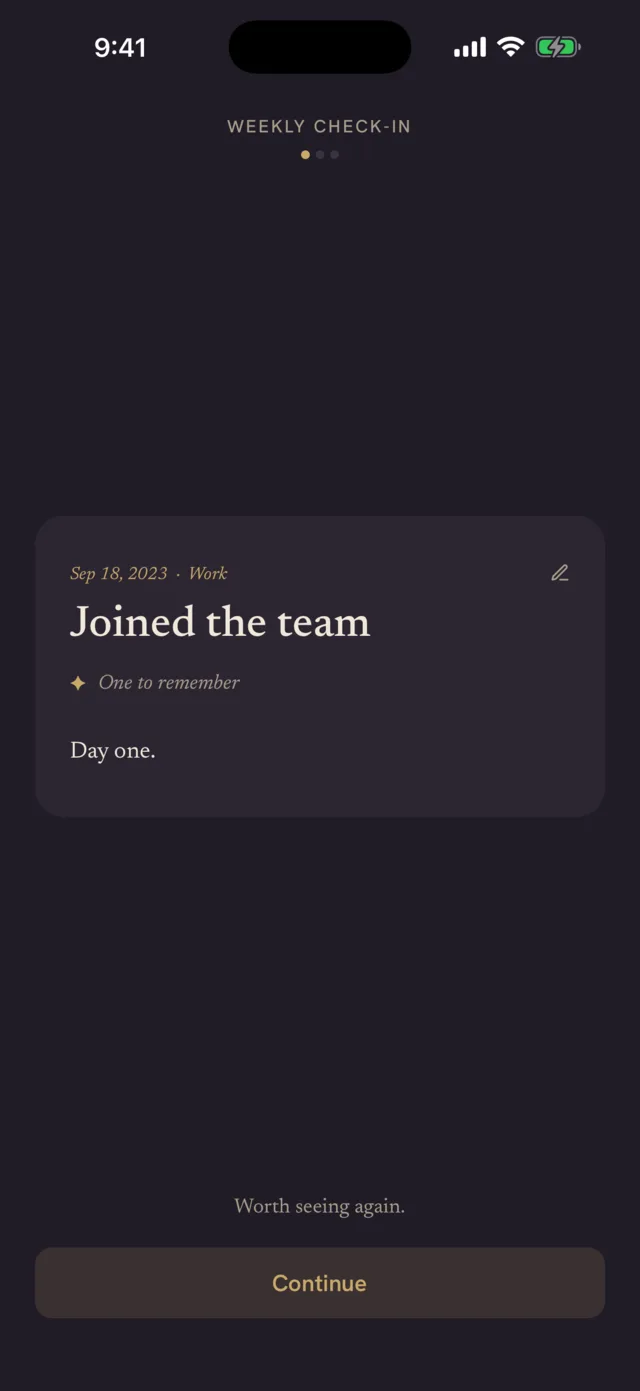
An older win, in your own words. Once a few of your wins are old enough, the check-in opens with one.
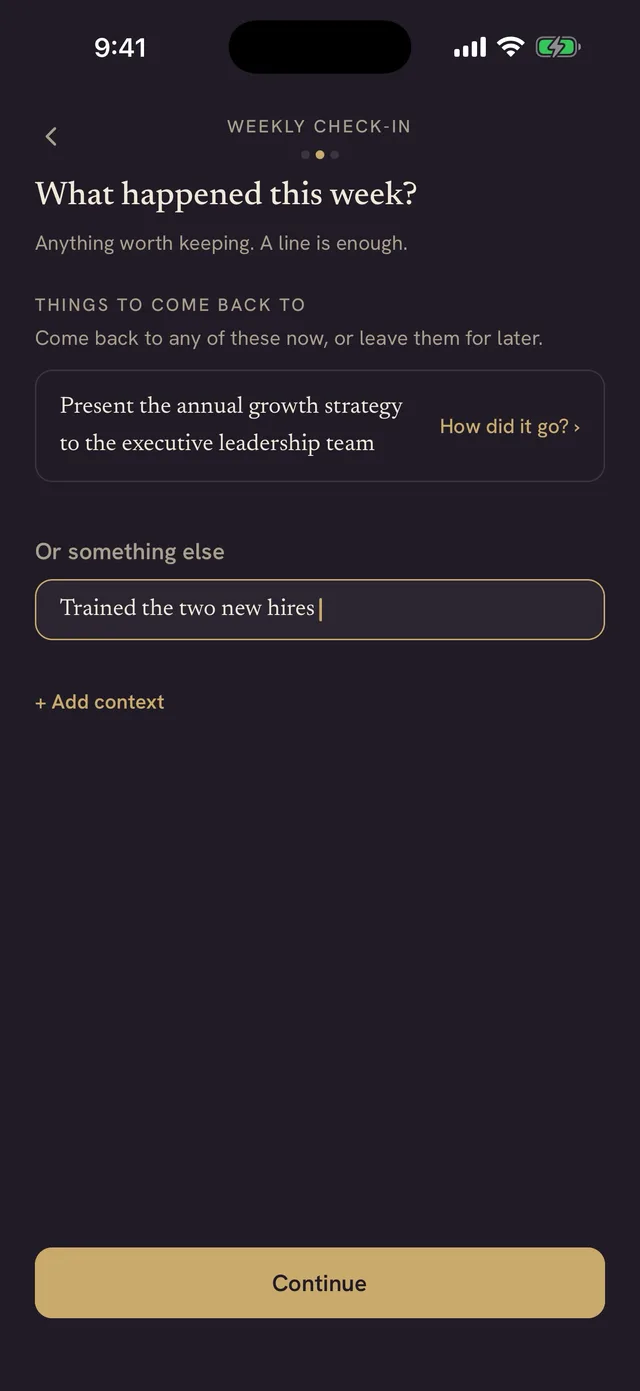
Anything worth keeping. If something you had coming up has passed, it's here too, with one question: how did it go?
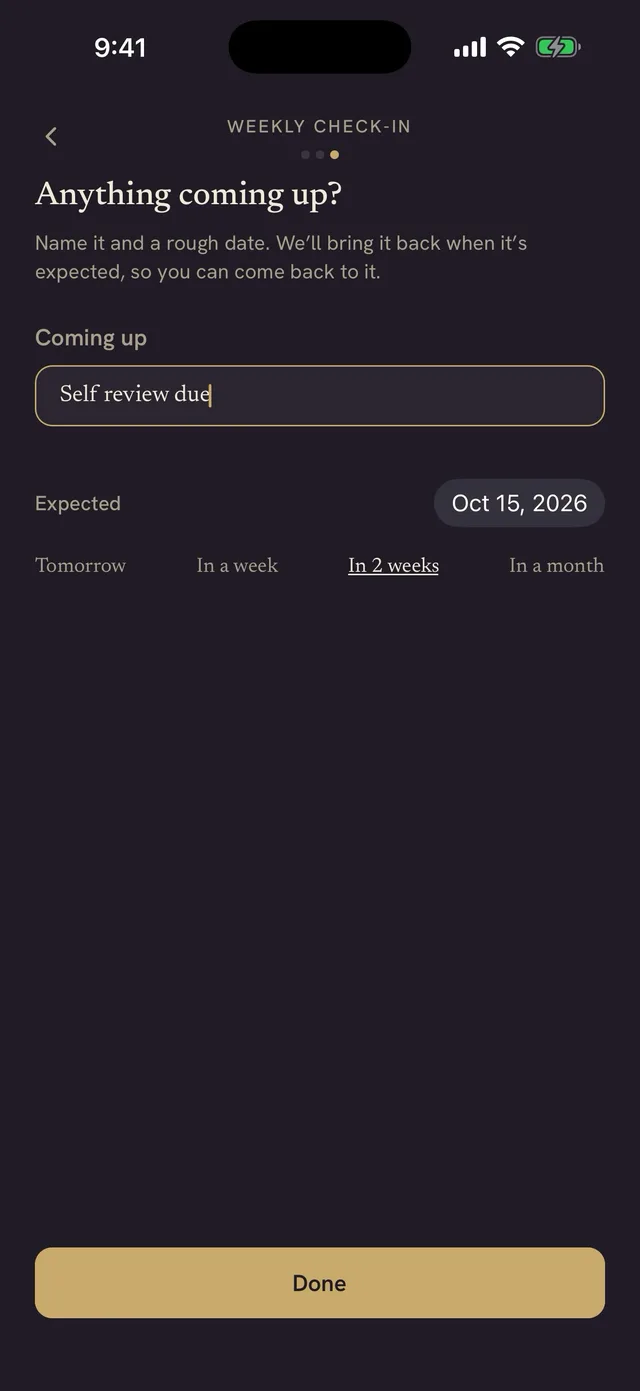
A review, a deadline, a milestone. Give it a rough date, and when the date passes, it comes back so you can say how it went.
The weekly reminder is off until you turn it on, at the end of setup or later in More, under Reminders. It's set for Fridays at 5:00 PM, or pick another day and time.
Capturing is only the beginning. Worth Noting brings older wins back so the record doesn't disappear beneath whatever happened most recently.
A week rarely feels important while you're in it. Neither does a month. Seeing what happened together can change the picture.
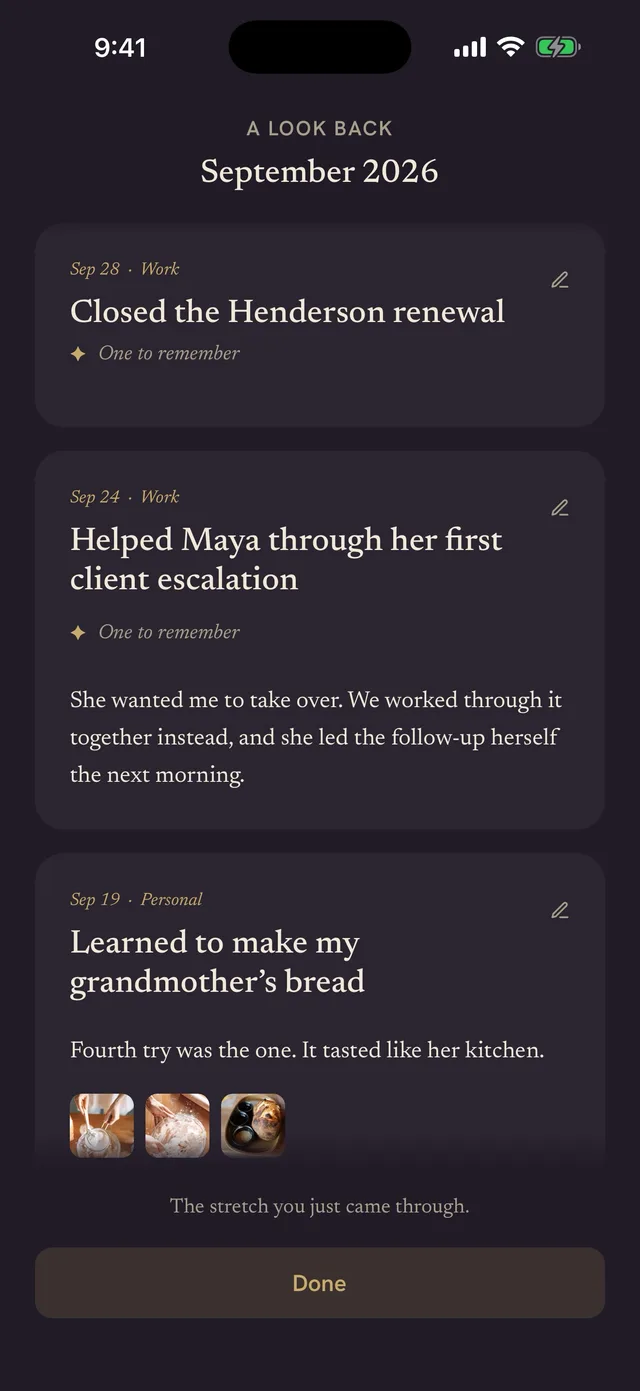
An older win is the first thing you see, chosen from what you've kept rather than whatever happened most recently.
A win you marked as one to remember comes back on its anniversary.
A month or a quarter, gathered together. Work can sit beside the bread you finally learned to make.
| In a notes app, doc, or spreadsheet | In Worth Noting |
|---|---|
| You write it down if you remember to. | Once a week, it asks what happened. |
| It stays where you left it. | Older wins come back on their own, in your own words. |
| Review season means rereading everything. | Search, filter, and export a PDF made for the review. |
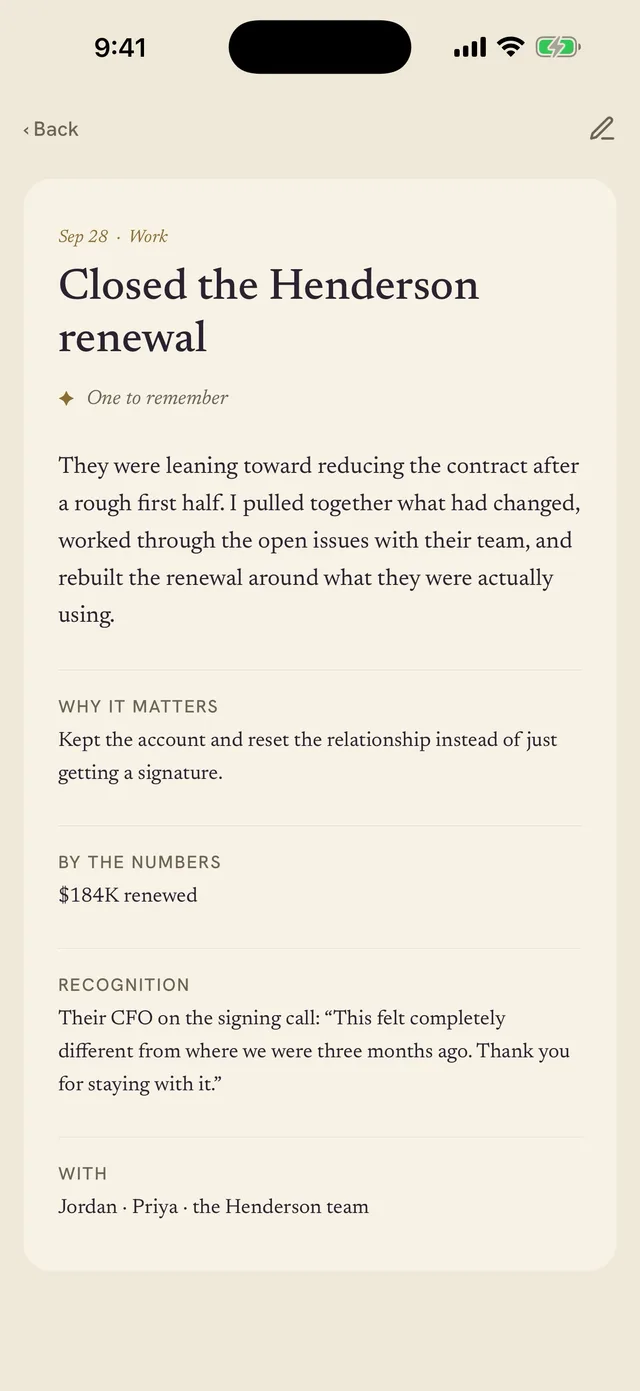
A win can stay one line. Or it can hold the details you'll want later: what happened, what changed, who was there, what someone said about it, and a note to future you.
When review season comes around, you're not starting with a blank page or searching through months of email and calendars.
The app helps you keep the details. The documents help you use them somewhere else. Each begins with the same thought: what it adds up to.
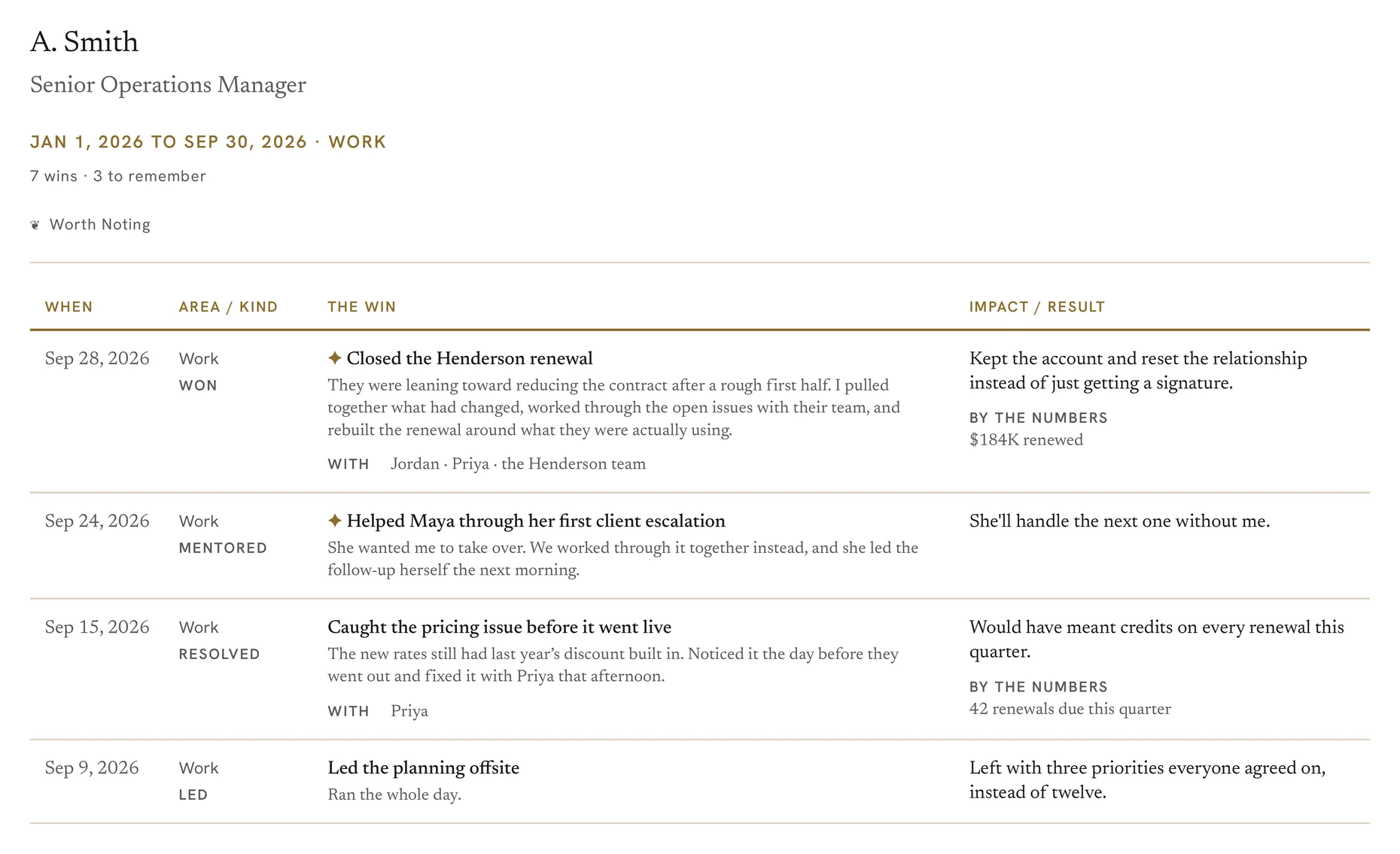
Review · Pro
A structured table built for quick scanning, whoever you're sitting down with.
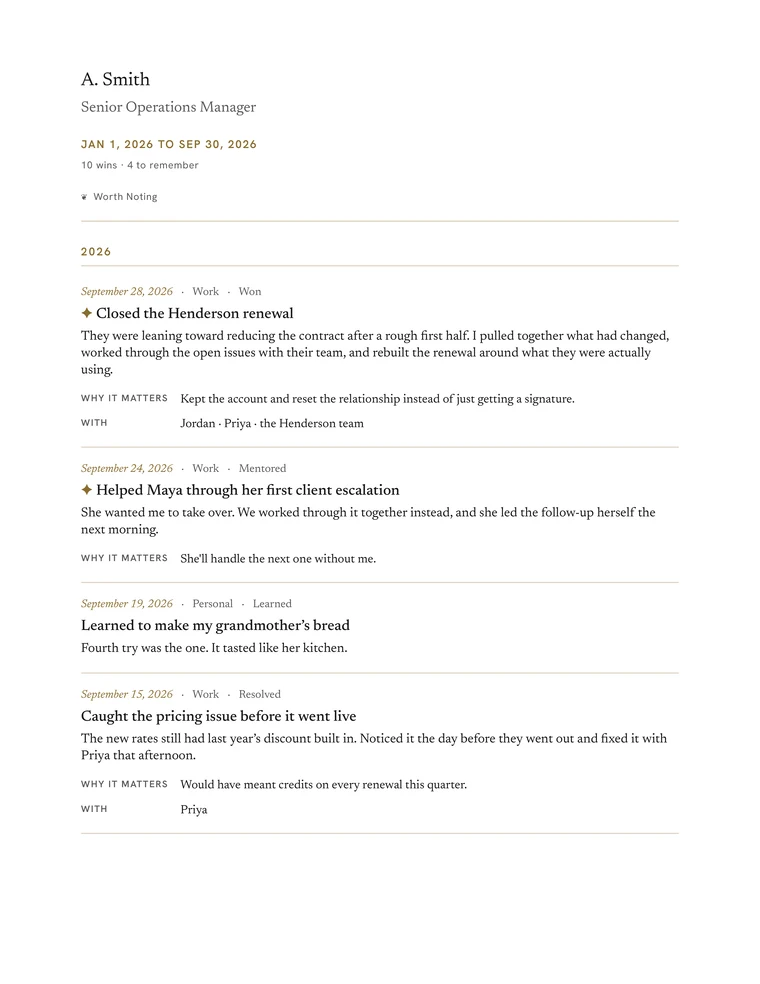
Record · Free
Each win given room to read. Your whole record in one document, with a layout that stays free however long you use Worth Noting.
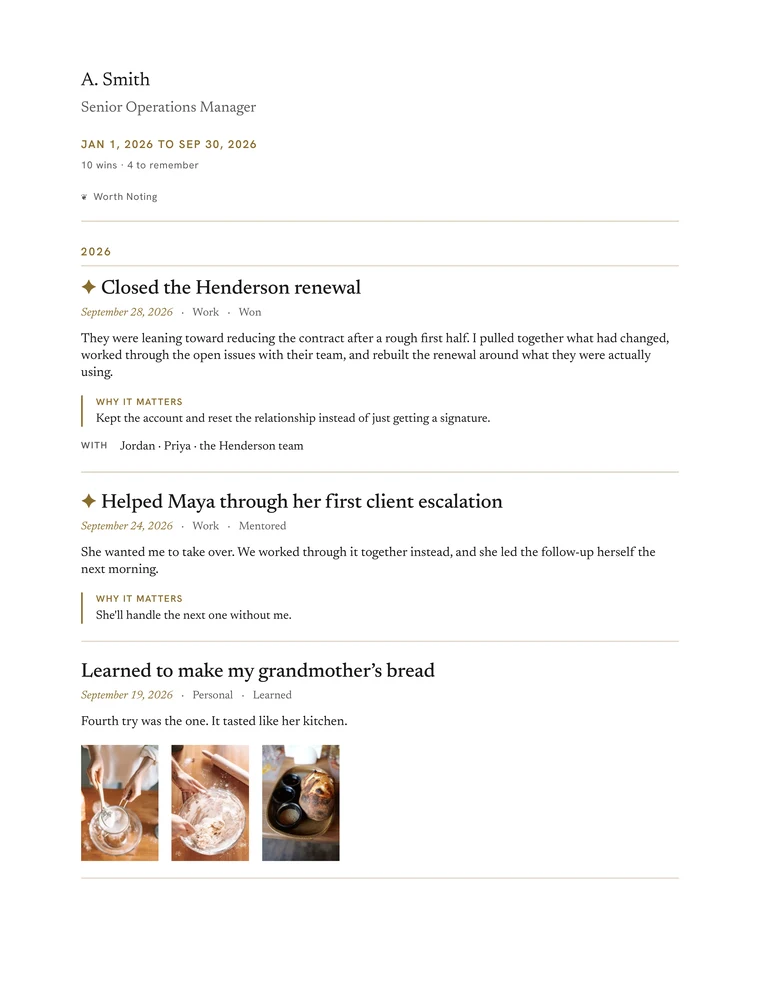
Editorial · Pro
More room for the story, with stronger structure and space for photographs.
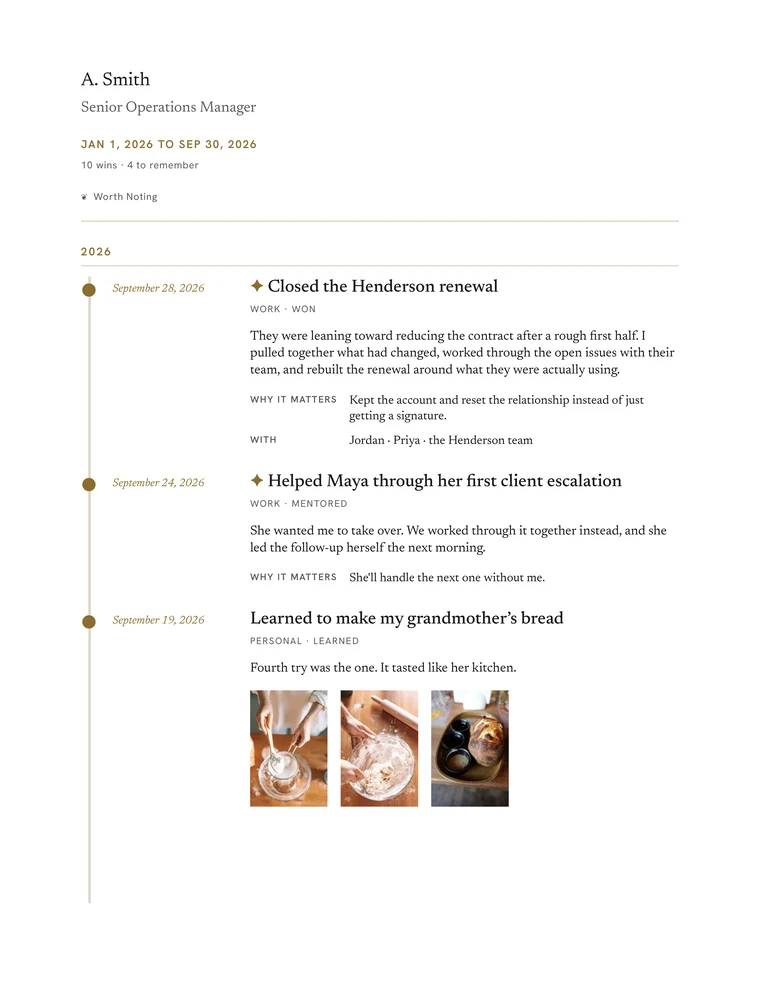
Keepsake · Pro
A visual timeline to bring your wins together and revisit what you've kept.
The Record PDF is free. So is your backup. Nothing you've written is ever locked behind a plan.
Your work may span a job, a business, clients, creative projects, or several things at once. And some of what matters most won't fit neatly into any of them.
There's the launch at work. The first client of your own. The class you finished. The room you repaired yourself. The person you helped. The hard season you carried. The small moment that wouldn't look important to anyone else, but mattered to you.
One record, across all of it.
It isn't tied to an employer or a client. It stays with you as your work, roles, and life change.
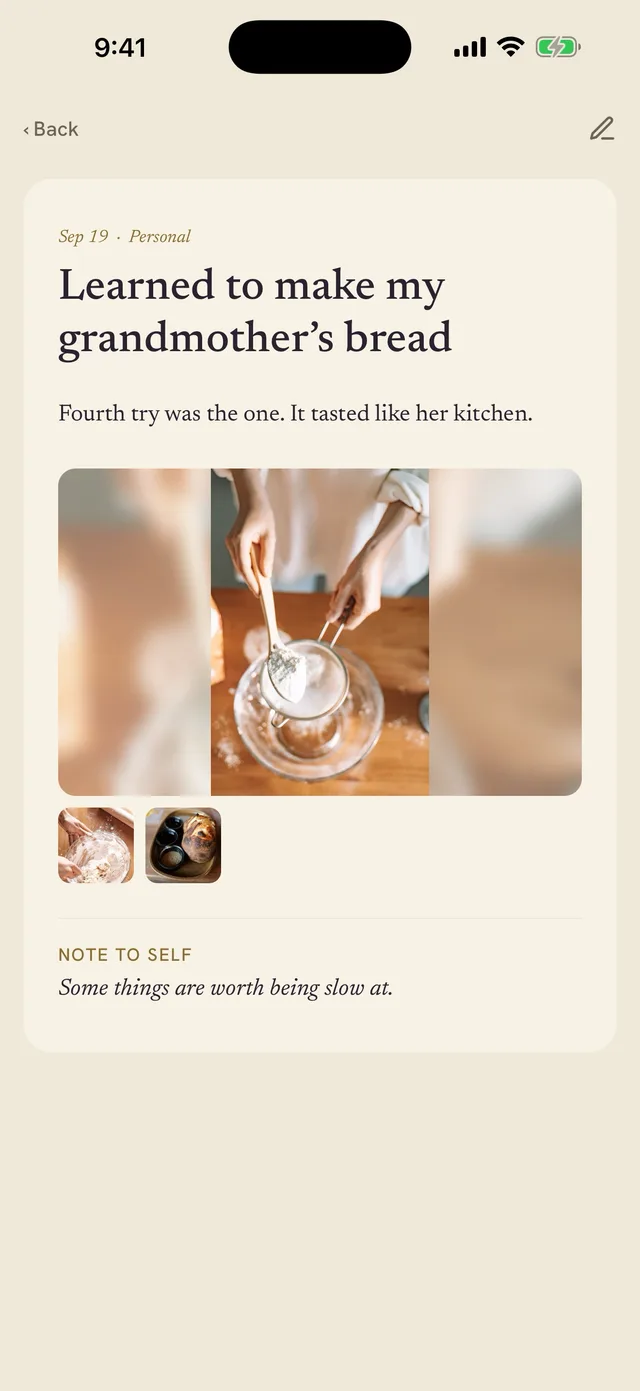
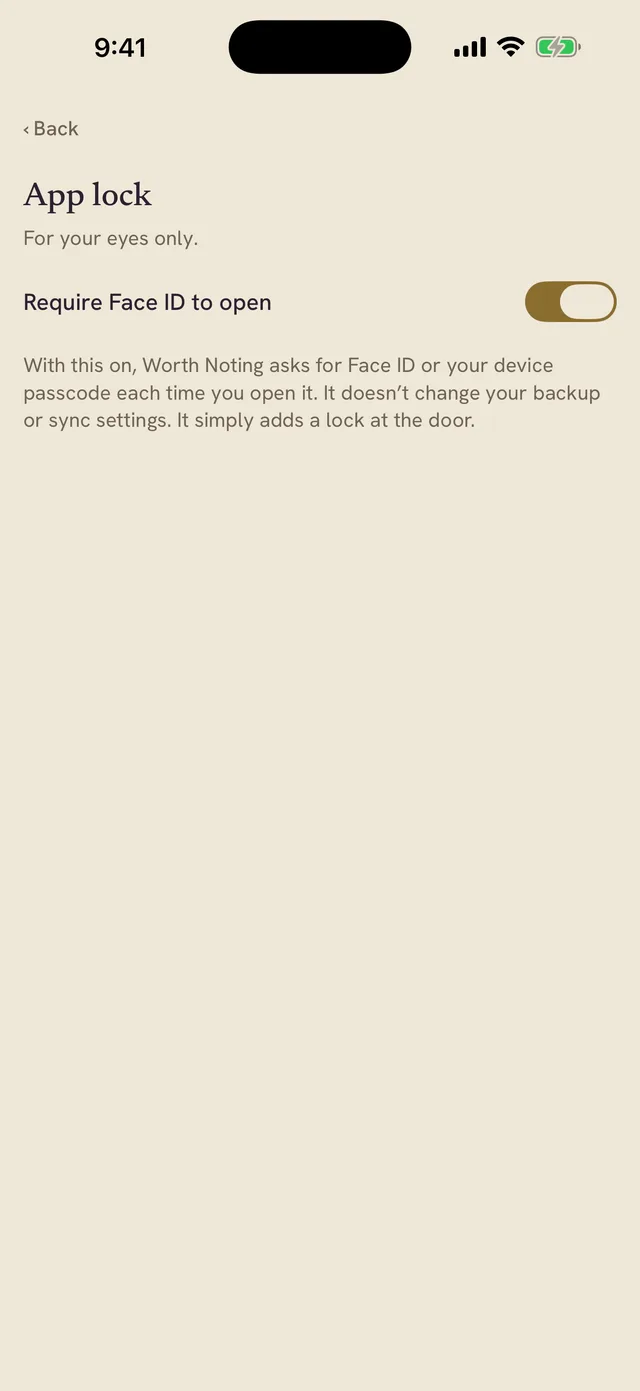
Private by default means your record doesn't have to come to us for Worth Noting to work.
On your device
Your record lives on your device by default, and the app works without a connection.
Nothing to sign up for
There's no Worth Noting account, login, or password.
Your own iCloud
Automatic backup and sync, if you turn them on, run through your own iCloud, not a server of ours. Manual backup is free and always there.
From the founder
I spent years on both sides of the review conversation: as the person trying to reconstruct what I had done, and as a manager asking other people to see the full weight of what they had contributed.
So I built the record I wish I'd kept.
Read the storyAnything you want to remember having done, handled, learned, made, finished, changed, or tried. It can be professional or personal, large or small. You decide what belongs, and nothing in the app grades it.
Most are built for one part of life: a work log, a gratitude list, a daily diary. Worth Noting keeps wins from work and the rest of life in one private record, in your own words, and brings them back to you over time.
No. Write a line whenever something happens. Once a week, the weekly check-in asks what happened, so the things you didn't stop to write down still have a way in. There's no streak to protect or counter to feed, and no nudge about what you didn't do.
No. Start wherever you are: early in your career, in the thick of it, or near the end of one. When something reminds you of a win from years ago, add it and set the date to when it happened. Your record fills in from both directions.
Not right away, on purpose. Worth Noting gives what you've kept a little distance before bringing it back, so resurfacing feels more like remembering than rereading something you just wrote. In practice a win becomes eligible once it's a few days old, and the card on the app's home screen appears once you've kept a handful, so the first few days are mostly keeping things.
If you add a win that happened earlier, date it to when it actually happened. That gives your record something older to bring back sooner.
Work is an important use case, but not the only one. People use Worth Noting as a work journal or brag document for reviews, interviews, and career changes, and also for the things they make, learn, handle, or get through outside work. Your record belongs to you, not an employer, so work, freelance projects, something you're building, and the rest of life can all live in one place. With Pro, you can create Areas to keep work, a business, and the rest of life apart.
Nothing you've already written is affected. Worth Noting Free holds up to 20 wins, and your existing record stays available to read, search, edit, back up, and export. Pro removes the limit and adds more ways to organize, protect, sync, and use your record, including your own Areas, additional fields, more PDF options, automatic iCloud backup, and multi-device sync.
Not yet. Worth Noting is available on iPhone and iPad today, with Android planned for later.
Worth Noting for iPhone and iPad
For the review, the next move, and everything else worth noting.

On a computer? Scan to get it on your iPhone.
Free for your first 20 wins. Pro is $6.99 a month or $49.99 a year. See what's in Pro
iPhone and iPad · On your device · No sign-up
Free to start